Thesis or Dissertation Cover Page: How to create it?
If you are a higher education student, you will certainly need to write one or more theses during your academic journey. The thesis or dissertation cover page is the first point of contact with your reviewer. It catches their attention and encourages them to delve deeper into your thesis.
Discover in our complete guide the steps to create a beautiful thesis or dissertation cover page. Also, explore several examples of thesis or dissertation cover pages to inspire you in creating your own!
What is a Thesis or Dissertation Cover Page?

The thesis or dissertation cover page is the title page.
It is the first visual point of contact you have with your reader or reviewer.
Paying attention to the thesis or dissertation cover page is important as it helps capture the reader’s attention and generate interest. It plays a crucial role in the overall presentation of the work and gives the first impression of the thesis or dissertation.
The cover page also provides important information to the examiner: title of the thesis or dissertation, author’s name, academic institution, academic year, etc.
Why is the Thesis or Dissertation Cover Page So Important?

The thesis or dissertation cover page gives a first impression, whether good or bad, to the reader. Taking care of the cover page helps to present a professional image of your thesis or dissertation.
Indeed, the thesis or dissertation cover page or title page serves as the gateway to your research. It should reflect the seriousness and quality of your work.
For your thesis or dissertation, choose a well-designed and attractive cover page to quickly engage your reader.
How to Create the Cover Page for Your Thesis or Dissertation?
Explore Different Sources for Inspiration
Before starting the creation of your thesis or dissertation cover page, we recommend doing some research to find inspiration and gather ideas for your title page.
To assist you in your search for inspiration, we have prepared an example of a thesis or dissertation cover page for you (example in french):
Other Examples of Thesis or Dissertation Cover Pages to Explore:
- Thesis Cover Page – Master in Computer Science – Software Development Engineering (SDE)
- Thesis Cover Page – Bachelor’s in Biological Engineering

Finding the Right Software for Creating Your Thesis or Dissertation Cover Page
There are several tools available to help you create your thesis or dissertation cover page. The most commonly used tools by students are:
- Word: A simple tool for creation with features to effectively structure and format your cover page.
- Google Docs: Similar to Word, it offers real-time collaboration and online accessibility for a basic but functional creation.
- Canva: A user-friendly tool with numerous templates and customization options, ideal for creating an attractive and professional design without advanced graphic skills.
- Adobe Photoshop: A powerful tool for advanced graphic creation, allowing for sophisticated cover page designs with unlimited design options for experienced users.
List the Key Elements to Include on Your Thesis or Dissertation Cover Page
Several elements must be included on your thesis or dissertation cover page to convey the necessary information to your reader or reviewer.
Here is a comprehensive list of elements we recommend incorporating into your cover page:
- Institution Logo.
- Thesis Title.
- Author’s Name.
- Institution Name.
- Department or Faculty Name.
- Thesis Advisor’s Name.
- Degree Program.
- Field of Study or Program Mention (e.g., Master in Human Resource Management or Bachelor in Marketing and Communication).
- Academic Year.
Create the Perfect Thesis or Dissertation Cover Page by Following These 4 Steps
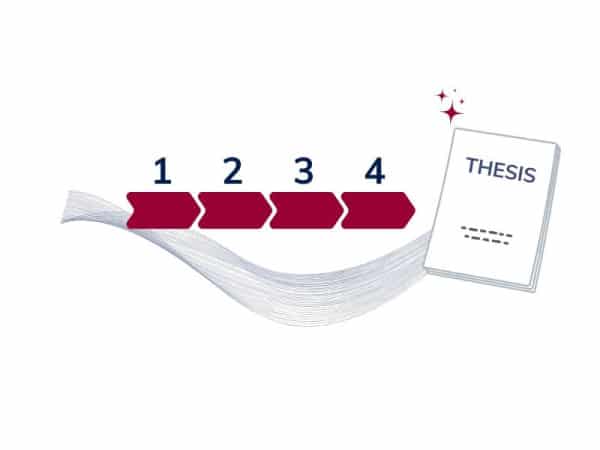
Step 1: Gather Essential Information
Ensure that you include all the necessary elements such as: the thesis or dissertation title, your name, the name of the academic institution, the department or faculty, the name of your thesis advisor, the academic year, the degree program, the institution’s logo, and the mention of your field of study or program.
Step 2: Structure the Layout
Organize the information in a clear and readable manner. Use distinct sections for each element, making sure that the title is prominently displayed, usually at the center of the page. Place your name and your thesis advisor’s name lower down, followed by other important information.
Step 3: Refine the Visual Presentation
Use a simple and professional font, such as Times New Roman, Arial, or Calibri. Play with font sizes to create a hierarchy of information, for example, by making the title larger and bold. Ensure that the layout is clean and balanced, with appropriate margins.
Step 4: Review and Validate
Carefully proofread the cover page to avoid any typographical or informational errors. Check that all required elements are present and correctly placed. Don’t hesitate to seek feedback from your thesis advisor or peers to obtain constructive comments.
Write your student work with peace of mind
With Compilatio Studium, make sure to cite all your sources and submit quality assignments, compliant with academic requirements. This way, you can easily avoid plagiarism penalties and prove the integrity of your work.
Templates and Other Examples of Thesis or Dissertation Cover Pages
To create the cover page for your thesis or dissertation, you can use design tools such as Word or Canva to craft your own design.
You can also find inspiration from examples and templates available online. Here are a few:
- 1000 Thesis or Internship Report Cover Page Templates – Canva
- Cover Page Template for Engineering Thesis
In summary, the cover page of a thesis or dissertation is a crucial element of your final deliverable as it constitutes the first visual contact with your examiner.
It is therefore important to refine this page to make a good first impression and spark the reader’s curiosity.
Remember to check for plagiarism in your thesis or dissertation to avoid penalties. We recommend using a plagiarism checker including an AI detector, in order to identify poorly referenced sources and include them in your bibliography.
Discover more practical guides for your thesis:
- How to Write a Thesis Introduction
- How to Write Thesis or Dissertation Acknowledgements?
- How to Write a University Thesis step by step?
- Thesis Defense: Complete Guide and Tips for a Successful Presentation
- Memorable Dissertation Conclusion: How to write it? (with examples)
Sources utilisées
- How to Create a Cover Page for an Internship Report? – Compilatio
- How to Create a Cover Page in Microsoft Word (Built-In & Custom) – Youtube video
Note: This informative article was written in part with the help of ChatGPT. The AI-generated content has been reworked to check the veracity of the information, verify the relevance of the instructions and add clarifications.
What font size is recommended for a thesis or dissertation cover page?
It is recommended to use a font size between 18 and 20 points for the body text of the cover page. The thesis or dissertation title can be larger, around 30 to 32 points, to make it stand out.
What font should you choose for the thesis or dissertation cover page?
Fonts that offer clear and professional readability are preferred for the cover page. Common choices include sans-serif fonts like Arial, Calibri, or Helvetica, and serif fonts like Times New Roman or Georgia.
What are the common mistakes to avoid on a thesis or dissertation cover page?
Common mistakes to avoid include spelling and typographical errors, incomplete or incorrect information, and a cluttered layout. Avoid using decorative or hard-to-read fonts. Ensure that all required elements are present and correctly placed, and check the visual consistency of your cover page.
What is the difference between the cover, cover page, and title page of a thesis or dissertation?
The cover is the outermost visible page when the thesis or dissertation is closed, often rigid and decorative, containing the thesis title and the author’s name. It is optional. The cover page is the first internal page that presents all essential information such as the title, author’s name, and academic details. The title page is often used synonymously with the cover page.
Was this article helpful?

Mohamed BADI
Committed to academic integrity and authenticity, I help students and teachers understand and prevent the risks associated with plagiarism and generative AI.